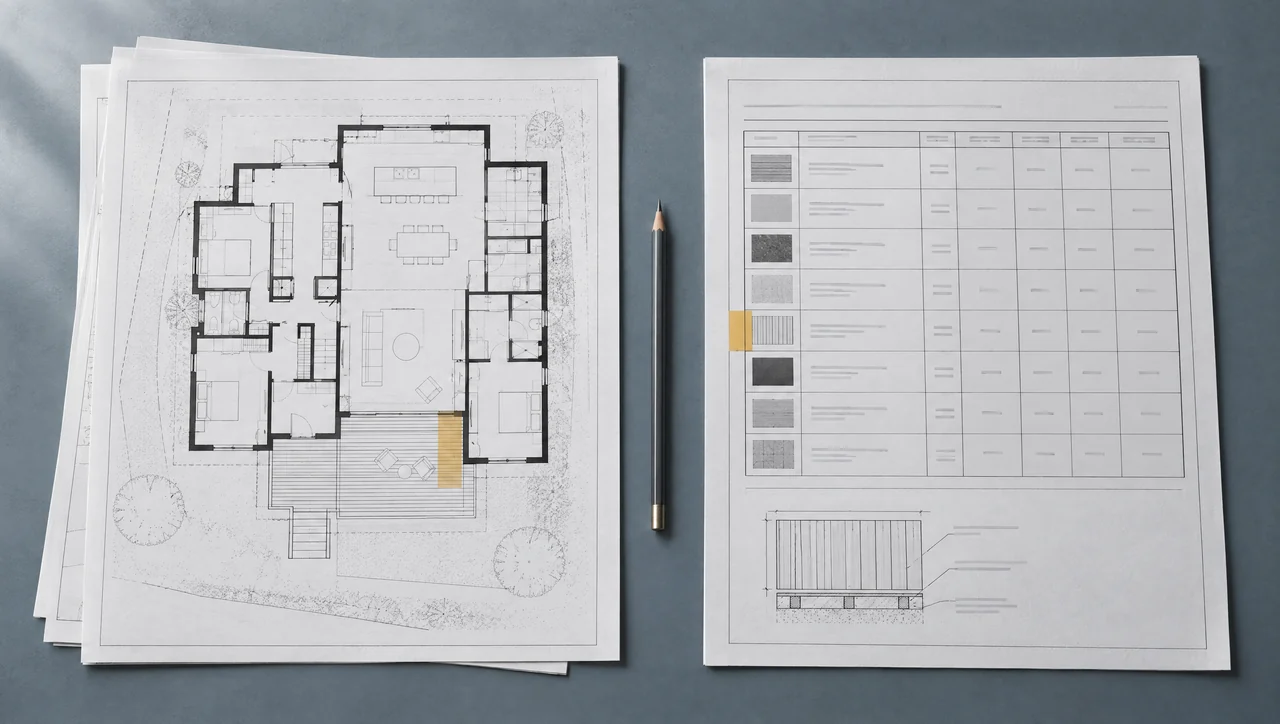
Compare the same item across the plan and schedule before choosing a quantity.
Illustrative source-review scene. The documents supply no project measurements or verified quantities; the worked example below uses explicitly hypothetical counts.Worked source comparison
Find the disagreement before it becomes an order.
Hypothetical documents and counts. This exercise does not change or approve a project.
Material quantity schedule
| Mark | Description | Qty. |
|---|---|---|
| B12 | Components in the reviewed scope | 14pieces |
Check the scope and revisions before choosing a quantity.
An issue date or file name alone does not decide which document controls.
Conflict identified
One mark. Two different quantities.
The plan shows 12 components marked B12. The schedule lists 14 for that same mark and location. The difference is two pieces; neither source establishes a combined quantity of 26.
12 + 14 = 26 is not a valid resolution.
Read all three steps
- One mark. Two different quantities. The plan shows 12 components marked B12. The schedule lists 14 for that same mark and location. The difference is two pieces; neither source establishes a combined quantity of 26.
- Keep both references. Hold the affected line. Record the disagreement against B12 and ask whether two components are missing from the plan, included elsewhere, or outside this scope. Until that question is answered, the purchase quantity stays unresolved.
- A documented response supplies the missing basis. For this exercise, the responsible project source confirms that B12 includes 14 components and that two were omitted from the earlier plan. The reviewed line becomes 14 pieces. Both original references and the clarification remain attached.
These are authored teaching values, not quantities inferred from the illustrative photograph. A real conflict requires the project’s own documents, scope and responsible reviewer.
Identify the conflict precisely
Record the item, each source reference, the revision shown, and the values that disagree. A plan count, a schedule row, and a detail can describe different aspects of the same component. Do not decide that the most convenient value wins. First establish whether the sources concern the same scope and whether one explicitly supersedes another. This is an editorial review workflow, not a contractual rule of document precedence.
Separate repetition from additional scope
A component may appear in more than one view without representing additional pieces. Compare labels, location, and surrounding context before combining extracted rows. Conversely, similar labels can describe repeated assemblies that really do add quantity. Keep the reasoning in the line notes or your review record. Matching text alone is not enough to prove either duplication or an additional requirement.
Retain uncertainty until there is a basis to resolve it
If the current documents do not answer the question, flag the affected quantity and obtain clarification from the responsible project source. Preserve the competing references and the eventual response with its date. Do not replace an unreadable dimension with an AI guess. OpenAI's vision guidance identifies possible errors in small text, counting, and spatial interpretation; extraction cannot settle an unresolved design conflict.
- Check document identity before comparing revisions.
- Keep textual page and region references with the line.
- Distinguish corrected extraction from changed design.
- Record the source of the resolution, not just the new total.
Review the consequences of the resolution
Update the affected rows, then check dependent totals and stock plans. A changed length can alter purchases without changing the component count. Private projects autosave edits, but retain a dated CSV or browser-print copy of the reviewed result when sharing it. Use reviewed approval after the conflict and its consequences have been checked; the status does not create missing evidence or determine document precedence.
Classify the disagreement before changing the quantity
Put the competing entries beside one another with their sheet, revision and location references. Then ask whether they describe the same physical items, at the same stage, in the same area. A different number is a reason to investigate; it is not yet proof that either source is wrong.
| What you find | What to check | How to retain it |
|---|---|---|
| Same item in plan and elevation | Do the marks and locations identify the same physical pieces? | Keep one quantity with both references when duplication is established. |
| Schedule covers more zones than the plan | Does the schedule include another level, phase, alternate or area? | Split the scopes and reconcile their subtotals before comparing. |
| Extracted value differs from legible source | Can the reviewer read the original number and its unit? | Correct the extraction and retain the source location; do not label it a design change. |
| Two current sources disagree for the same scope | Is there an explicit supersession or documented project direction resolving it? | Keep the affected quantity provisional and request clarification. |
| A newer file repeats an older drawing issue | Do the sheet revision and issue record actually change? | Record the document identity; file-save dates alone do not resolve authority. |
For the B12 example, finding twelve marks on one plan and fourteen in a schedule does not justify either adding them to twenty-six or averaging them to thirteen. It also does not establish that fourteen is the conservative purchase quantity: the difference may involve another scope, profile or length. Resolve what the pieces represent before deciding what to buy.
Write a clarification someone can answer
A useful question identifies the conflict without asking the recipient to reconstruct the entire takeoff. Use the project's established clarification process. The following is a fictional record structure, not a submitted request or a rule of document precedence.
- Item and location: B12 components in the named work zone; identify the takeoff row IDs.
- Source A: plan sheet and revision, page or detail region, twelve identified occurrences.
- Source B: schedule sheet and revision, row B12, fourteen pieces for the stated scope.
- Question: confirm the required count and identify the locations, lengths and profile of any additional pieces, or identify which entry must be corrected.
- Held consequence: affected purchase quantity remains provisional; list any cutting plan or order line that depends on it.
- Response record: clarification identifier, date, responding project source and the exact scope of the answer.
Check what the answer actually resolves
In the example, clarification C-01 confirms fourteen pieces and identifies the two omitted locations. Enter fourteen in the affected quantity row and attach C-01 to the original references. If the response confirms count but says nothing about length, keep the length question open. One answered question does not resolve every field on the line.
Recalculate dependent totals and revisit the stock plan. Two additional pieces may fit available offcuts, require new stock lengths or change the number of packs; the count alone cannot decide which. Retain the prior reviewed export with its revision label and issue a replacement that identifies the changed lines. Do not overwrite the old record and leave another buyer working from an unexplained total.
If the answer instead confirms that two pieces belong to an alternate, separate that alternate from the base scope. Keep both quantities available with clear inclusion labels. The goal is a reproducible quantity basis: another reviewer should be able to follow the sources and reach the same included count.
Continue with revision control to review downstream cutting changes, then use purchase-list review before releasing the affected material lines.
Hypothetical plan and schedule disagreement
The plan shows twelve components marked B12, while the schedule lists fourteen for the same scope. The reviewer retains both references and holds the purchase quantity. In this example, clarification C-01 confirms that the plan omitted two components and that fourteen are required. The reviewed line becomes fourteen pieces, with the original plan, schedule and clarification retained. A real project needs its own documented resolution before dependent stock quantities and orders are updated.
Common questions
Should the newest file name automatically control?
No. Check the document's actual revision and scope, plus any applicable project direction. A file name alone does not establish authority.
Can approval be used to hide an unresolved line?
Approval should follow a documented review. Keep an unresolved quantity visible and obtain the needed clarification rather than treating status as evidence.
Evidence & limits
Reviewed September 13, 2026. Sources support their stated technical principles; this site's workflows and hypothetical examples are not product tests, supplier approvals or independently reviewed project records.