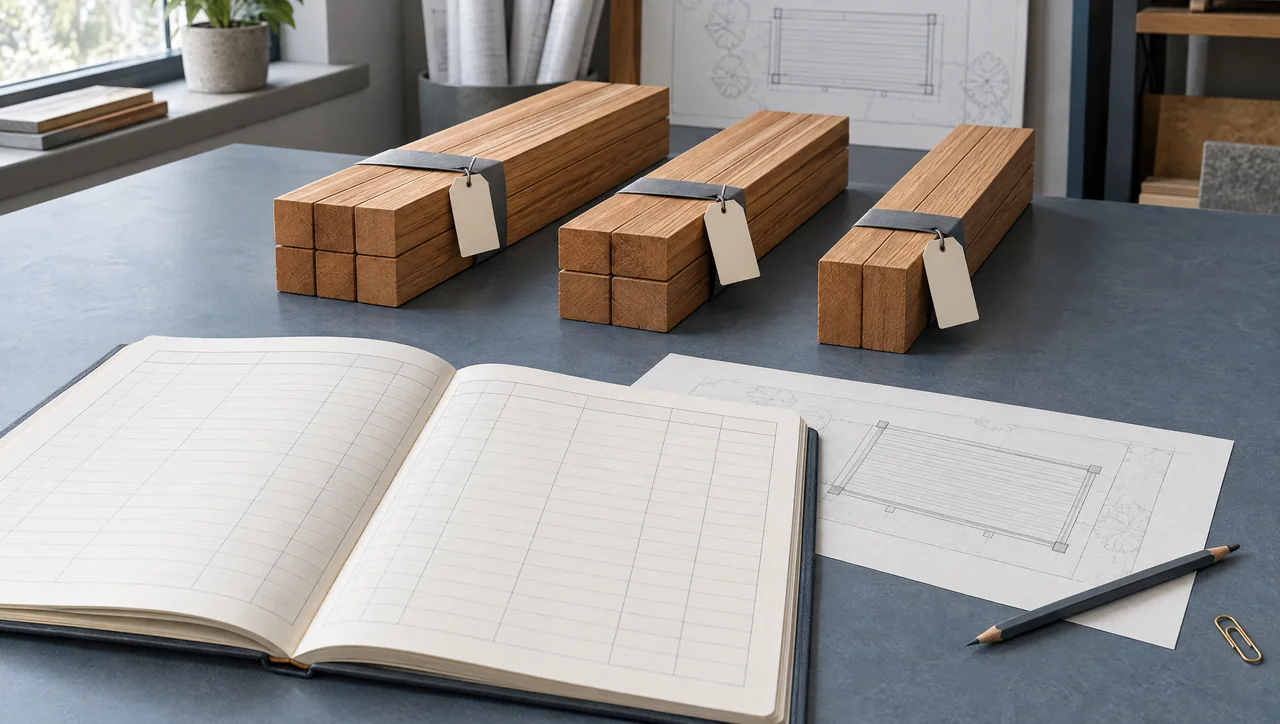
Keep stock quantities, purchase records and the takeoff together.
Illustrative estimating scene. Use the source drawing, stated dimensions and calculation method for quantities.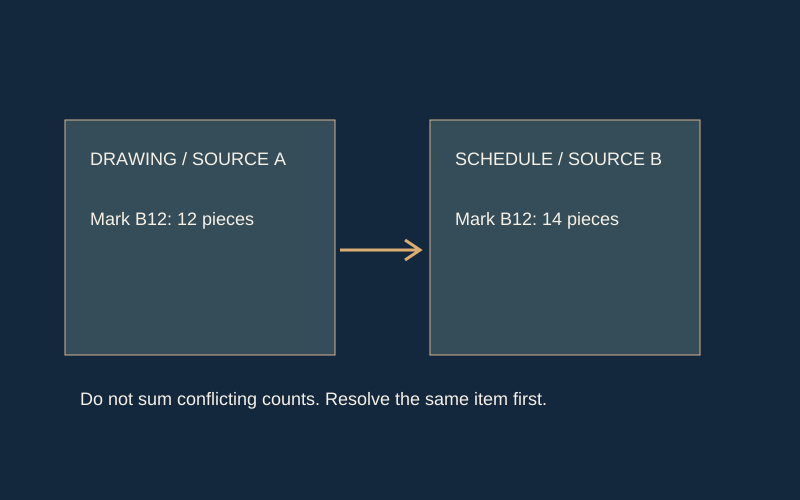
- Hypothetical source A lists 12 pieces and source B lists 14 for the same mark.
- Do not merge the two into 26; retain both references and resolve the discrepancy.
- Source revision, scope and reviewer decision belong with the quantity record.
Freeze a review copy
Export a CSV before changing an approved or shared input. Name the file with the project reference, date and revision. Choose Save snapshot to retain a named private calculator record. Private takeoff projects also autosave edits and retain revisions; confirm the Saved status before leaving. Your exported file is the record of the inputs and result at that moment.
Record the reason for a change
A new stock length, revised part dimension or altered appearance requirement can all change the plan. Note the source of the change and who must review it. Do not overwrite an earlier order quantity without determining whether material has already been purchased, cut or delivered.
- Preserve the old parts list and purchase list.
- List changed rows and the source of the change.
- Recheck every affected stock group.
Check the delta, then the whole
Comparing only total board counts can miss a critical length change. Review both the changed pieces and the full regenerated pattern, because packing can move unchanged parts between boards. Send the complete current record with a brief change note rather than expecting a recipient to reconstruct it from several messages.
Worked revision / Four rails / Two stock pieces
Same board count. Different usable leftovers.
Change the finished rail length. Each 96-inch stock piece supplies two rails. The shaded remainder shrinks while the stock count stays at two.
15.75 in remaining per stock piece
160.00 in of finished rails · 0.00 in more than revision A
A 10-inch additional part fits this arithmetic.
Allowing a further 0.125-inch cut requires at least 10.125 inches of remainder. That does not establish its grade, profile or condition.
Hypothetical dimensional exercise: usable stock is exactly 96 inches; two 0.125-inch cuts per stock piece; no extra end trim, defects or machining allowance. It is not an optimized cutting plan or a fabrication instruction. All dimensions are inches.
A revision can change the cut plan without changing the order count
Consider an illustrative assembly with four rails. Revision A calls for 40-inch finished rails; revision B calls for 44-inch rails. The drawing change adds 16 inches to the total finished length. That is the first quantity check, not the purchase decision. Stock length, cut loss, trimming and other parts sharing that stock still determine the order.
For a deliberately simplified example, use two usable 96-inch stock pieces, two rails per piece, and reserve two 0.125-inch cuts per piece. Assume no additional end trim for this exercise. Revision A leaves 15.75 inches per stock piece; revision B leaves 7.75 inches. Both use two pieces of stock, but the remaining lengths differ by eight inches on each piece. These are arithmetic assumptions, not a fabrication instruction or a claim about supplied stock.
If the old plan assigned a ten-inch part to each remainder, those parts no longer fit in revision B. The rail order count alone hides that consequence. Re-run the complete affected stock group and review the new pattern before releasing it.
| Item | Revision A | Revision B | Change |
|---|---|---|---|
| Rail length | 40 in | 44 in | +4 in each |
| Rail quantity | 4 | 4 | Unchanged |
| Total finished rail length | 160 in | 176 in | +16 in |
| Stock pieces in this example | 2 × 96 in | 2 × 96 in | Unchanged |
| Remainder after two rails and stated cut allowance | 15.75 in per piece | 7.75 in per piece | −8 in per piece |
Separate a drawing change from a purchasing instruction
Attach the revised drawing reference to the changed row. Then record the state of the old material: not ordered, ordered but not cut, cut, delivered, or installed. The same design change requires a different response in each state. A revised estimate does not cancel an existing purchase order or tell a fabricator to stop work.
For the rail example, four already-cut 40-inch rails cannot supply four 44-inch rails. Keep those short rails visible as material awaiting a disposition decision; do not silently count them as usable stock. If the 96-inch pieces remain uncut, a new reviewed cutting pattern may be enough. If other parts relied on the former remainders, include them in the review.
Use a short change note with four fields: source revision, affected rows, quantity/cut-pattern consequences, and action required. Assign a named recipient or role for the action in the actual project record. This guide supplies the record structure; it does not authorize an order change.
Release one complete current record
Retain the superseded export and mark it as superseded in your own document system. Issue the complete current parts list and purchase list together with the change note. A recipient should not have to combine an old spreadsheet, a screenshot and a later message to discover the required length.
Before release, check that the drawing revision, input units, stock specification, allowances and exported result refer to the same run. The purchase-list review guide covers the order-facing checks. Revisions to appearance grade, milling or finish can require a new stock group even when the dimensions remain unchanged.
Worked planning example
Revision 1 used four 40-inch rails; revision 2 requires four 44-inch rails. Even if the board count remains unchanged, the offcuts and pattern have changed. The new schedule must replace the old fabrication reference, with the dimension change highlighted.
Common questions
Does the site save versions automatically?
Private takeoff projects autosave after a short pause and retain revisions. Standalone calculator inputs require Save snapshot or export. Confirm the Saved status and keep portable exports for your own records.
Can I use the same file name?
You can, but a distinct date or revision makes it easier to identify the current record and retain the prior basis.
Evidence & limits
- Calculation method: dimensional arithmetic and conservative first-fit packing
- NIST PS 20-25 — measurement, tally and softwood size basis
Reviewed September 13, 2026. Sources support their stated technical principles; this site's workflows and hypothetical examples are not product tests, supplier approvals or independently reviewed project records.